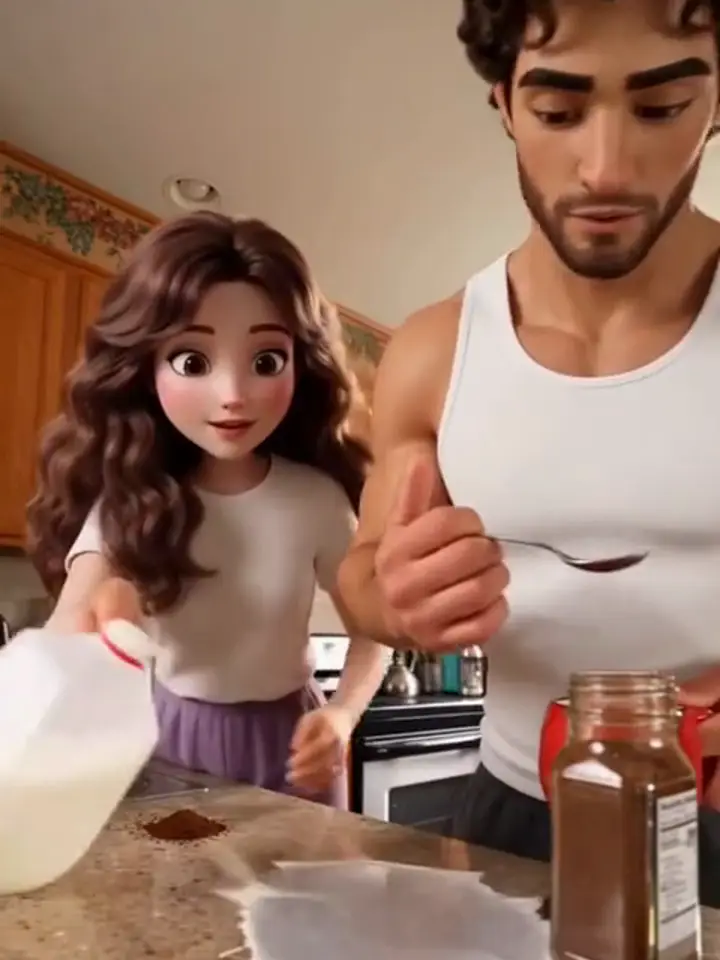
Creators post this skit with one line on top: he said he could make coffee. The render is the same two-person disaster, and the joke lands because the viewer knows who you are tagging. The example here is a creator remix in a cartoon look; your render comes out photorealistic from your own photos.
Tips for the he said he could
Put him in the first upload, so he holds the spoon.
The file has no caption: add your line in TikTok or Instagram.
A photo where he looks confident makes the ending funnier.
What is already set for you
The subject: you and your partner, each from your own photo, in the kitchen where he promised to make the coffee.
The scene: a warm home kitchen with a granite counter and a red mug.
The timing: Every template keeps the same order: coffee misses first, the milk spills near the end, and the mug is lifted last.
With the He Said He Could template, Coffee AI Video turns your photo (one per person on a two-person template) into a coffee ai video set in a warm home kitchen with a granite counter and a red mug. Upload it, select the template and generate.
What does the he said he could look like?
On Coffee AI Video, the he said he could is you and your partner, each from your own photo, in the kitchen where he promised to make the coffee. It is a generic design with no brand marks.
Does the He Said He Could video include the caption?
No. Coffee AI Video renders the He Said He Could template with no text on the picture, so you add the caption yourself in TikTok or Instagram and can write it in your own language. The MP4 carries the trend sound and runs 15 seconds in the default vertical format.